5 things about HTML5: talk overview
- Preamble
- 5 things:
- Semantics
- Mobile
- Storage
- Device properties
- Canvas
- A half-baked attempt at bringing it all together
Why am I here?
- Cards on the table: I don't own a single iOS device
- Google HTML5 native apps
- About 1,480,000 results
- "HTML5 will never rival native apps!11!!" "Native apps are dying! HTML5 is the future!!!"
- I teach client side web dev - basically HTML5 and JavaScript
- So I thought I could shed some light (or at least, have a few arguments).
What I will talking about
- HTML5, JavaScript
- Usability, portability, cross-platform issues
- Tips, tricks, code examples
What I will not be talking about
- Libraries or frameworks
- Server-side technologies
- Native apps
HTML5: what does it give you?
- An emphasis on semantic markup
- Video
- A bunch of new form elements
- Geolocation
- Local storage
- Canvas
- Extensibility: microdata, microformats and RDFa
HTML5: what does it take away?
- Proper semantically marked up HTML5 gets rid of lots of
<div>tags! - Ever written code like this?
<div id= "header" >...<div id= "navigation" >...<div class= "section" >...<div id= "footer" >... - A number of display only tags are deprecated - you've got to use CSS now.
- (But browsers will probably display them anyway)
- These include u
strike,xmp , big, the font tag. - b and i remain, however.
- HTML5 also gets rid of frame, frameset, and noframes.
Thing 1: Semantics
- Semantic markup using new semantic tags
- Semantic markup using microformats
Why bother?
- Helps your content be machine-readable
- Better indexing
- Helps content re-use
- Helps us AI researchers do cool things
Thing 1: New semantic tags
<section>typically containing a heading and one or more paragraphs<article>self contained content - the sort of thing you might want to syndicate (think blog or newspaper)<aside>tangentially related content<hgroup>group of headings<header>introductory material - table of contents, navigation<footer>material that goes at the end of content<nav>navigation elements, typically containing links (and often put in the header or the footer)<mark>text that's marked out - this could be highlighted<time>an element containing dates and times
Thing 1: Semantics - what is extensibility?
- You can add more semantics to your pages using Microdata
- Microdata, RDFa and Microformats are all ways to embed semantics into documents
- What all of these do is to provide semantic definitions to elements within the DOM via reference to an external "vocabulary".
- "Vocabularies" are often called ontologies. There are lots of these around, and they provide definitions - semantic
- For the purposes of this talk we're going to look mostly at marking up data about people
- But you could include microdata about anything
- HTML5 microdata is just one solution to the semantic problem. Other things you might want to investigate are RDFa and microformats
Thing 1: Why extend?
- Providing more machine-readable semantics can be a lot of work
- But there is a payoff...
- Data interoperability
- Semantic web
- Improved search results
- Google Rich Snippets are one example of this kind of thing in action
- Provide customised search results...
Thing 1: Semantic Microdata - how?
- Uses the DOM to determine scope
- So you start by finding the element that encloses the information you want to mark up semantically
- Add the
itemscopeattribute to this element - Also in this element you define what you're talking about using reference to an external vocabulary
- e.g.
itemtype="http://data-vocabulary.org/Person"
- Uses additional
itempropattributes to define name-value pairs - For certain tags (IMG, A) the value of the name-value pair is defined as part of the tag
- So
<img itemprop="photo" src="http://www.x.x/x/x/x.jpg">is like saying that "The image referred to in this tag is a photo of the person we're talking about".
- So
Thing 1: Web3.0?
- You can get vocabularies for most things you're likely to want to put on the web
- Companies, organisations, people, reviews, events...
- Not many browsers support in browser use of rich information (yet)
- But Google and other search engines can
- Expect microdata and other semantic data to make a real impact soon
- Image search will rank pictures with microdata more highly
- Address search will work
- Search engines will be able to aggregate reviews
- ...
- And lots of things that we haven't thought of yet.
Thing 2: HTML5 gives you load of new form elements
Thing 2: What do these new elements look like ?
Thing 2: advantages of semantic form elements
- You can optimise input methods
- This is particularly useful on devices with limited display, e.g. mobile internet
- You can do in-browser data validation
- And if they don't work?
- The
inputelement defaults to text - So the worst case is that your users just have to type it in
- The
Thing 3: localStorage and taking it offline
- Up till now there have been two ways to maintain "state" in web apps
- Use a server side technique to store things elsewhere
- Use cookies
- HTML5 local storage gives you access to a small store of name-value pairs
- You get 5 megabytes on the users' machine
- This is not much, but beats using cookies!
- This is done via the
window.localstorageobject
Thing 3: using localStorage
- You can add things to the storage
localStorage["name"]=value
- And get things back
savedvalue=localStorage["name"]
- BUT BEWARE...
- What is stored is a string representation of the variable
- So you'll have to handle types sensibly
number=parseInt(localStorage["storednumber"])
Thing 3: downloadable apps
- With clever use of localstorage you can build apps which keep state between visits
- You can also build apps which work offline
- This involves creating manifest files
- You'll need a manifest file for each HTML page you want the device to cache
- Manifest files contain a list of all resources required to run/view/display a page (CSS, JS, jpg, png, whatever).
- For full information on cache manifests and all that jazz, I'm going to refer you all to Mark Pilgrim's excellent Dive into HTML5 chapter on offline apps
Thing 4: you can access suprisingly detailed device information
- Geolocation
- Device orientation
- Acceleration
Thing 4: really there's not much I can do here using a lectern PC
On the code snippets and examples page I've got a few demos...
The device orientation is fairly new - the w3 event specification is dated 12 June 2012.
(So don't be surprised if it doesn't work.)
Thing 5: So what's canvas give you?
- Without JavaScript... Not much
- A canvas is a blank drawing surface
- But each canvas has a drawing context
- <-- This is a canvas
<canvas id="mycan" width="20" height="20"></canvas>
<script>
var canv=document.getElementById("mycan");
var ctx=mycan.getContext("2d");
ctx.fillStyle='#faa';
ctx.fillRect(0,0,15,15);
<script>
Thing 5: It's all about the canvas context
- Everything happens in the drawing context - not the canvas object
- It's the context that provides the API
- The "2d" context provides drawing tools for two dimensional graphics
- Well supported canvas browser support information
- For "3d" you need WebGL
- WebGL is more experimental
- WebGL final draft spec released Feb 2011 (so it's really new)
- Not there yet for mobile webgl browser support information
- Expect to see much more of it in the future!
Thing 5: basic graphics - the canvas coordinate system
- Every canvas has a coordinate system, running from (0,0) in the top left to (width,height) at the bottom right.
- The canvas here has pale blue lines every 10 pixels, so you can get an idea of what the scale is.
- The black dot is drawn at the location indicated in the boxes below - change the value to move the dot.
- X-value;
- Y-value;
Thing 5: Colours on the canvas
- To set colours in HTML5 canvas, you change the fillStyle or the strokeStyle property of the drawing context.
- This can be done using any valid CSS representation of a colour,
- So you can use rgb(255,255,255), #ffffff, white, or rgba(255, 255, 255, 1) to refer to the colour white.
- The "a" in rgba stands for "Alpha"
- Alpha channels give you transparency
- 1 is solid, 0 is invisible
- So rgba(255,0,0,0.5) is a transparent red.
- Click on the canvas to the right to see what this looks like.
Thing 5: graphics with fillStyles and gradients
- You can create a gradient as a fill style
- Linear or radial
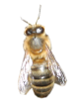
- You can set an image as a fill style
- This can be set to repeat, no-repeat, repeat-x or repeat-y.
var bee_picture=document.getElementById("bee");
gradcontext.fillStyle=
   gradcontext.createPattern(bee_picture,"repeat");
Thing 5: graphics with lines and paths
- To draw lines, you have to use paths
- You can think of a path as sketching something out in invisible pencil
- It acts as a guideline
- It doesn't appear until you fill it in using a stroke() or a fill()
- stroke() draws along the lines, fill() floods the area drawn by the path
c_context.beginPath();
c_context.moveTo(x1, y1);
c_context.lineTo(x2, y2);
c_context.stroke();
- Remember - the c_context in the code above is the object that holds the current canvas context. Initialise it using these lines of code:
var c_canvas = document.getElementById("id of your canvas");
var c_context = c_canvas.getContext("2d");
Thing 5: canvas graphics with linestyles
lineWidthlineCap
lineJoin
miterLimit
The W drawn on the canvas is then filled with transparent red - this lets you see the effect of filling a shape that's not been closed using closePath(). Filling closed shapes works as expected.
Thing 5: arcs and circles
- HTML5 Canvas doesn't have a "circle" function
- But it has an "arc" function, and a circle is just an arc that goes all the way round
- Angles are in Radians
- The last parameter determines which way round the arc goes and only affects filling in complex shapes
Y centre
Radius
Start angle
End angle
circ_context.arc(x, y, r,
start_angle, end_angle, false);
Thing 5: Transformations: translations, rotations and scaling
- Scaling the canvas context with
ctx.scale(x_scale,y_scale)enables you to draw the same thing at different sizes - Translating the context with
ctx.translate(x,y)allows you to move things around - Rotating the context with
ctx.rotate(angle in radians)allows you to rotate the canvas
Thing 5: Including images on a canvas
- If the image you want to include already exists in your DOM...
var bee_img=document.getElementById("bee");
ctx.drawImage(bee_img,20,20);
- If you've not already included the image somewhere else in the page...
var bee_img=new Image();
bee_img.src="bee_small.png";
ctx.drawImage(bee_img,20,20);
- You can of course combine images and transformations...
Thing 5: Text on a canvas
ctx.fillText("text_string", x,y);ctx.strokeText("text_string", x,y);- This uses various properties from the canvas context...
- The font property of the context is the same as font in CSS
ctx.font("bold italic 40px serif")controls font weight, width, style, etc. etc.- fillStyle, strokeStyle,shadowColor (and other shadow properties) all apply to text
- Click on the canvas to see an example or two of non-default text formatting
Well that was the 5 things - but can we bring it all together?
Basic idea:
- Targets move across the screen
- The gun moves under user control
- Most targets give you points (hit the baddies), except for one which takes away points (don't hit the goodie)
My target audience

Step 1: do some intensive market research
- I don't know much about small boys but in my experience they like
- trains
- dinosaurs
- explosions
- things to do with the toilet
Ladies and gentlemen, I give you...
POO BUM DINOSAUR TRAIN EXPLOSION
http://users.aber.ac.uk/hmd1/html5/poo_game.htmlControls
- Keyboard: has an onKeyDown listener, so left right space do moving and firing
- Mouse: has an onClick listener so you can click to poo
- Gyro: on mobile devices that support it, you can move the bum by holding the device landscape-style and tilting it
- On mobile devices, tap should work to poo
Problems
- The game is a bit laggy, particularly on machines of little memory
- The mobile controls aren't fully tested
- Gyros work different ways on iDevices and Androids
- You can't disable screen rotation from within the browser
- So it's not finished, yet - but it gives you a flavour of what's possible